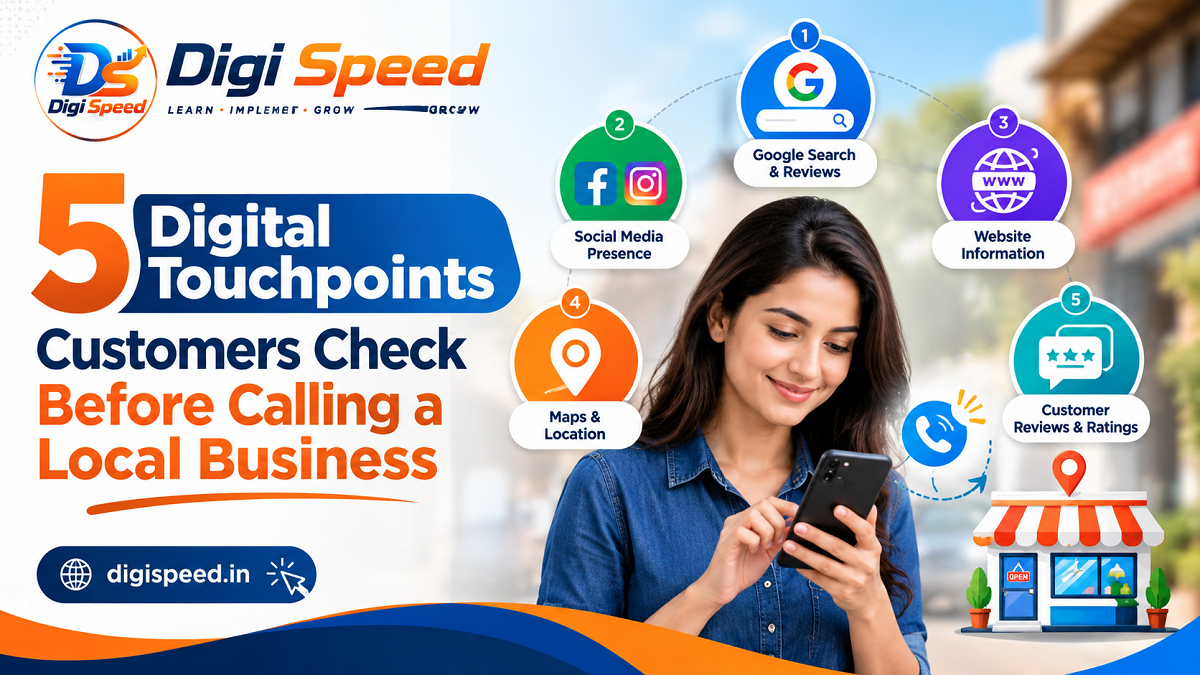
When someone needs a local business, they do not always pick up the phone immediately.
A customer looking for a dentist, restaurant, repair service, marketing agency, salon, electrician, consultant, or any other local service will often do a little research first. They may search on Google, look at the business on Maps, read reviews, visit the website, check photos, or even look at social media.
This happens quickly, sometimes within just a few minutes.
That means your customer’s decision may already be influenced before you ever receive the phone call.
For a local business, being easy to find is only the first step. The next challenge is making sure that the information customers find is accurate, useful, trustworthy, and easy to understand.
Here are five important digital touchpoints customers may check before deciding to call a local business.
1. Google Search and Google Maps
For many local customers, Google is the starting point.
Someone might search for phrases such as “plumber near me,” “best digital marketing agency in Delhi,” “AC repair near me,” or “family restaurant nearby.” The customer may see several businesses before deciding which one deserves a closer look.
Read Also: Why Customers Read Your Content but Still Don’t Trust Your Brand
Google Search and Google Maps can show important information such as the business name, category, location, opening hours, phone number, website, photos, reviews, and other details. Google says a Business Profile can help eligible businesses appear on Search and Maps and provide customers with information such as opening hours, website, phone number and location.
This is why your Google Business Profile should not be treated as something you create once and forget.
What customers may check
A customer could quickly look for:
- Is this the type of business I need?
- Is it close enough to me?
- Is the business currently open?
- Does the phone number look correct?
- Does the business have a website?
- Are there recent photos?
- Does the business appear active?
- What do other customers say about it?
Even a small mistake can create unnecessary doubt.
For example, imagine someone finds your business on Google at 7:30 PM and the profile shows that you are closed, while your actual business is open until 9 PM. The customer may simply move to another result instead of trying to contact you.
What a local business should do
Keep your Google Business Profile information accurate and up to date. Check your business hours, phone number, website, address or service area, category, photos, and other important details regularly.
Google’s guidelines also emphasize representing a business accurately and keeping its address or service area precise.
The goal is simple: when someone discovers your business on Google, they should have enough reliable information to decide whether you are worth contacting.
2. Customer Reviews
After finding a business, many customers want to know what other people experienced.
Reviews are important because customers cannot always judge a service before buying it. A website can tell people what you offer, but reviews can give them another perspective.
Think about your own behaviour.
If you need a service you have never used before and two businesses appear in Google search, you may naturally look at their ratings and read a few reviews before calling.
Customers may look at:
- Overall rating
- Number of reviews
- Recent reviews
- Comments about service quality
- How the business responds to feedback
- Repeated complaints or compliments
- Whether the reviews appear relevant to the service they need
Google itself provides businesses with tools to collect and respond to customer reviews through their Business Profile.
Don’t focus only on getting five-star reviews
A better approach is to focus on delivering a good customer experience and making it easy for genuine customers to leave honest feedback.
Businesses should also pay attention to how they respond to negative reviews.
A calm, helpful response can show that the business takes customer concerns seriously. On the other hand, an aggressive or careless response can create a poor impression for people who are researching the business for the first time.
A simple review check
Search your own business name on Google and read your latest reviews as if you were a new customer.
Ask yourself:
Would these reviews make me comfortable enough to call this business?
If the answer is no, don’t simply try to collect more reviews. First understand why customers are unhappy and improve the underlying experience.
3. Your Business Website
A Google listing may get someone’s attention, but the website often gets examined when the customer wants more information.
The customer may want to know:
- What exactly does the business offer?
- Does it serve my area?
- How much experience does it have?
- What does the service include?
- How can I request a quote?
- Can I see examples of previous work?
- Is there a simple way to contact the business?
This is where many local businesses lose potential customers.
They may have a website, but the website does not answer basic questions.
A visitor lands on the homepage and sees a large banner, several animations and generic statements such as “We provide the best solutions.” But the visitor still does not know what the company actually does, who it serves, or what they should do next.
A website does not need to be complicated to be useful.
Make the important information easy to find
A local business website should clearly communicate:
What you do:
Explain your main products or services in straightforward language.
Who you serve:
If you serve particular locations, industries, or customer groups, make that clear.
Why customers should consider you:
Explain your experience, approach, strengths, or other genuine differentiators.
How customers can contact you:
Make your phone number, enquiry form, email, WhatsApp option, booking process, or other relevant contact method easy to find.
Where you operate:
Clearly explain your location or service area where relevant.
The objective is not to make the website sound impressive. The objective is to remove uncertainty.
If a customer can quickly understand your business and what happens after contacting you, you have already removed one barrier between the visitor and the phone call.
4. Social Media Profiles
Not every customer will check social media, but some will.
A person may search for your business on Instagram, Facebook, LinkedIn, YouTube, or another platform to get a better feel for the business.
They may not be looking for a perfect social media strategy.
They may simply want evidence that the business is real, active, relevant, and doing the kind of work they need.
For example, someone considering a local interior designer may look at project photos. A restaurant customer may look for food photographs. Someone considering a fitness centre may look at the facilities and recent updates.
The important point is that different businesses have different reasons for being checked online.
What can customers notice?
They may notice:
- Whether the profile clearly identifies the business
- Whether the information matches the website
- Whether recent posts are relevant
- Whether photos show real work or products
- Whether customers interact with the business
- Whether the profile contains useful contact information
- Whether the business appears active
An inactive social profile does not automatically mean that a business is unreliable. But if a customer sees outdated information, broken links, confusing branding, or posts that have nothing to do with the business, it can create unnecessary uncertainty.
Keep social media useful
You do not need to publish several posts every day just because other businesses do.
Instead, share information that helps potential customers understand your business.
You could show:
- Recent projects
- Products or services
- Behind-the-scenes work
- Helpful tips
- Customer questions
- Business updates
- Team or workplace information
- Answers to common problems
The best content is often the content that gives a potential customer one more reason to trust your business.
5. Contact Information and the Final Trust Check
This final touchpoint is easy to overlook.
A customer may find your business, like what they see, read positive reviews, and visit your website. Then they reach the point where they are ready to contact you.
And suddenly they cannot find a phone number.
Or the phone number on Google is different from the website.
Or the contact form does not work.
Or the business does not explain what information the customer should provide.
That small amount of friction can be enough for someone to leave.
Google’s Business Profile guidance specifically allows businesses to provide important customer-facing information such as phone numbers, websites, opening hours and service areas, depending on the business and its eligibility.
Make contacting you simple
Check that:
- Your phone number is correct.
- Your website contact details are current.
- Your business hours are accurate.
- Your contact form works.
- Your WhatsApp or messaging option works if you offer one.
- Your address or service area is clear.
- Customers know what happens after they submit an enquiry.
- Important contact information is easy to find on mobile devices.
You can think of this as the final step in your digital customer journey.
The customer has already done the research. Don’t make the final step difficult.
How These 5 Digital Touchpoints Work Together
These touchpoints are not separate islands.
A customer might follow a journey like this:
Google Search → Google Maps → Reviews → Website → Social Media → Contact
Another customer may take a completely different route:
Google Maps → Reviews → Website → Phone Call
Someone else may discover your business through Instagram and then search your business name on Google before contacting you.
This is why a local business should think about its entire online presence, not just one platform.
A strong website cannot completely compensate for inaccurate business information.
A great Google Business Profile cannot fix a confusing website.
A large number of social media followers does not automatically create trust.
And positive reviews cannot help much if the customer cannot find a working way to contact you.
The different touchpoints should support each other.
A Simple Digital Touchpoint Audit for Local Businesses
You can review your own business using this quick checklist.
Can a new customer find your business easily?
Google Business Profile
Are your business name, category, hours, phone number, website, location or service area accurate?
Reviews
Do your recent reviews provide useful information about the customer experience?
Website
Can a first-time visitor understand what you offer within a few seconds?
Social Media
Do your public profiles provide current and relevant information?
Contact
Can a customer contact you quickly from a mobile phone?
Consistency
Does your business information match across Google, your website and social profiles?
If you find problems in several areas, don’t try to fix everything at once.
Start with the information that could prevent a customer from contacting you.
Why Digital Touchpoints Matter More for Local Businesses
Large brands can sometimes survive a poor online experience because customers already know them.
A smaller local business often has to earn trust much earlier.
When a customer searches for an unfamiliar business, they have limited information. They are trying to answer one basic question:
“Can I trust this business enough to contact them?”
Every digital touchpoint contributes to that decision.
Clear information reduces confusion.
Recent and relevant information shows that the business is active.
Useful website content answers questions.
Genuine reviews provide customer experiences.
Easy contact options reduce friction.
Together, these details create a smoother path from searching to contacting.
Final Thoughts
Customers do not always call a local business because of one advertisement or one search result.
Often, the decision is built through several small online interactions.
They may find you on Google, check your location, read your reviews, visit your website, look at your social media and then decide whether they feel comfortable contacting you.
That means your digital presence should answer customer questions before the customer has to ask them.
Start by searching for your own business as if you had never heard of it before.
Look at your Google listing.
Read your reviews.
Open your website on your phone.
Check your social profiles.
Try to contact yourself.
Then ask an honest question:
“If I were a new customer, would I have enough information and confidence to call this business?”
If the answer is yes, you are making the digital journey easier for your customers.
If the answer is no, you now know where to start.
A strong local online presence is not about being everywhere. It is about making the places where customers find you clear, trustworthy, useful and easy to act on.

Saurabh Kumar Shrivastav is a Digital Marketing Expert, Web Designer & Developer, and Founder of Digispeed.in, with 12+ years of experience in digital marketing and web solutions. He shares practical insights on SEO, Google Ads, social media, content marketing, web development, and online business growth to help readers build and grow their online presence.